Rules for spare cash
After tax and living costs, most years leave money over. Your rules say where it goes, in order. Open them from the Surplus line, at the foot of the income and expenses cards: unfold it for Edit rules, or choose a rule to open it.
Each rule has Send it to, any account or loan that takes rule payments, and How much:
- Fill it up: until the account holds so many Months of expenses.
- A share of what’s left, or A fixed amount a year, in today’s dollars or each year’s.
- Everything remaining.
Under More options, Stop at caps a rule at what is left of the concessional cap or owing on the loan, and Only when runs it only while a condition holds, such as until you retire. Advanced sets At most, each year, the years it runs, and when it stops for good. Rule is on switches a rule off without removing it.
Drag the rules, or use their arrows, to change the order. What a rule can’t take passes to the next. The last rule, Everything else, is in every plan: it sends whatever is left to the plan’s bank account, and can’t be moved or removed. Where the surplus went shows a year rule by rule.
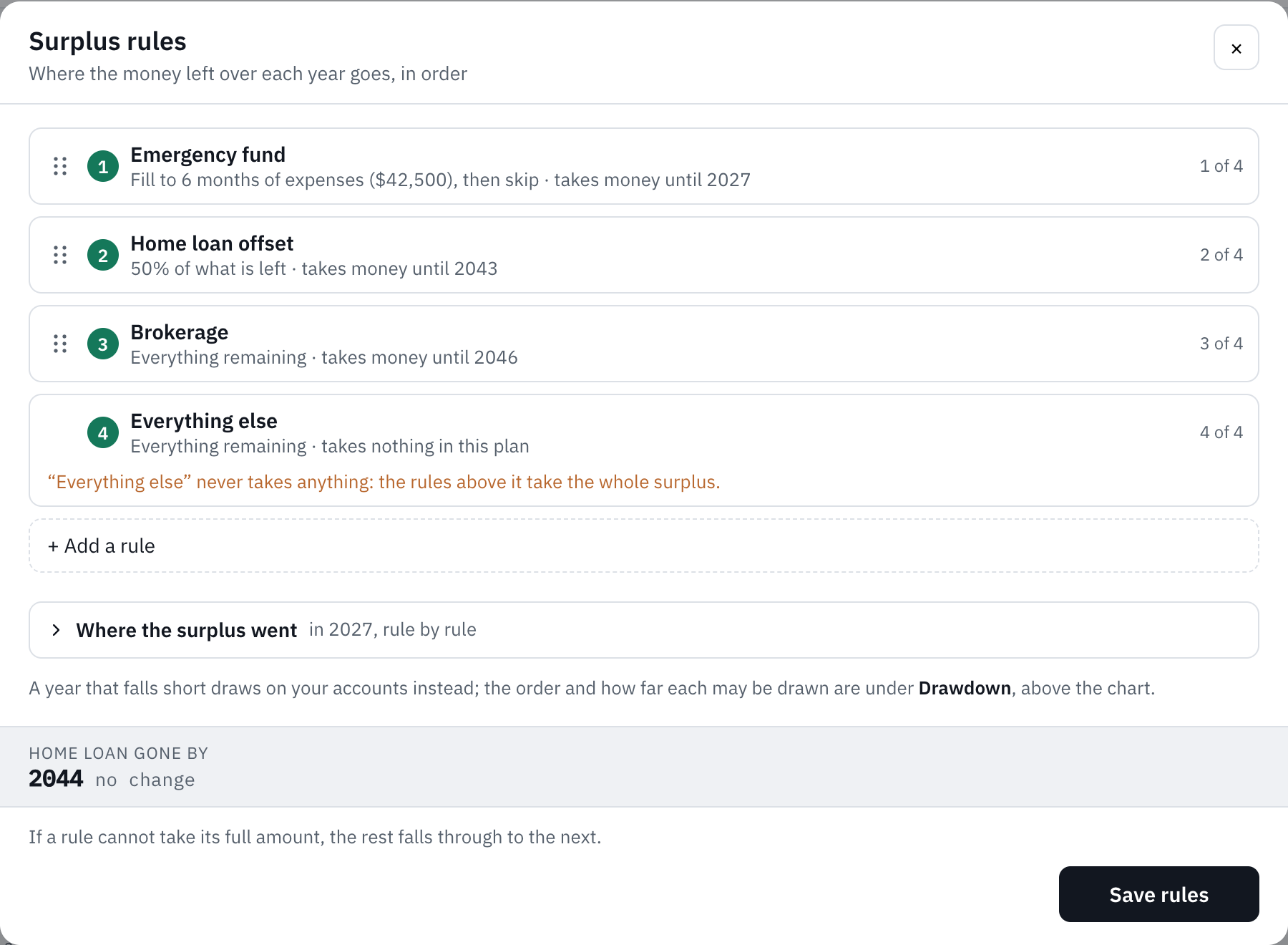
A free plan has four rules besides Everything else; Plus has as many as you like.
A year that costs more than it earns is the other way round: see Drawdown.
Still stuck?
Signed in? Choose Help at the top of the app, pick what it’s about and tell us what happened; it reaches us with the page you were on, and you get a copy. Otherwise write to [email protected]. We reply by email. Please don’t send passwords or account numbers.