Milestones
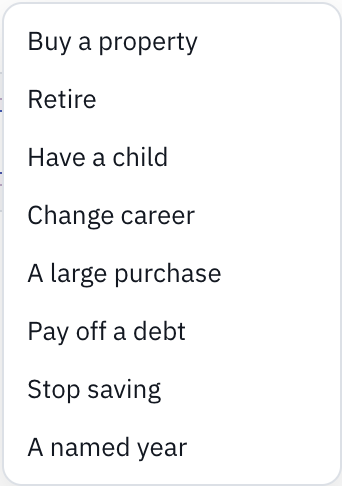
A milestone marks a year in your plan that you want to know about. Add milestone above the chart offers Buy a property, Retire, Have a child, Change career, A large purchase, Pay off a debt, Stop saving and A named year; changing career needs an income in the plan, and paying off a debt needs a debt. All milestones lists every one; point at one above the chart to change it quickly. On a phone, both are under Milestones.
When it happens
- At year: the year you choose, or the year you reach an age.
- At another milestone: the same year as another, or a set number of years before or after it.
- When a condition holds: the first year something is true, judged on each year’s closing figures. A new Retire milestone starts here: the first year what you could reach is 25 times your annual outgoings, a multiple that is yours to change.
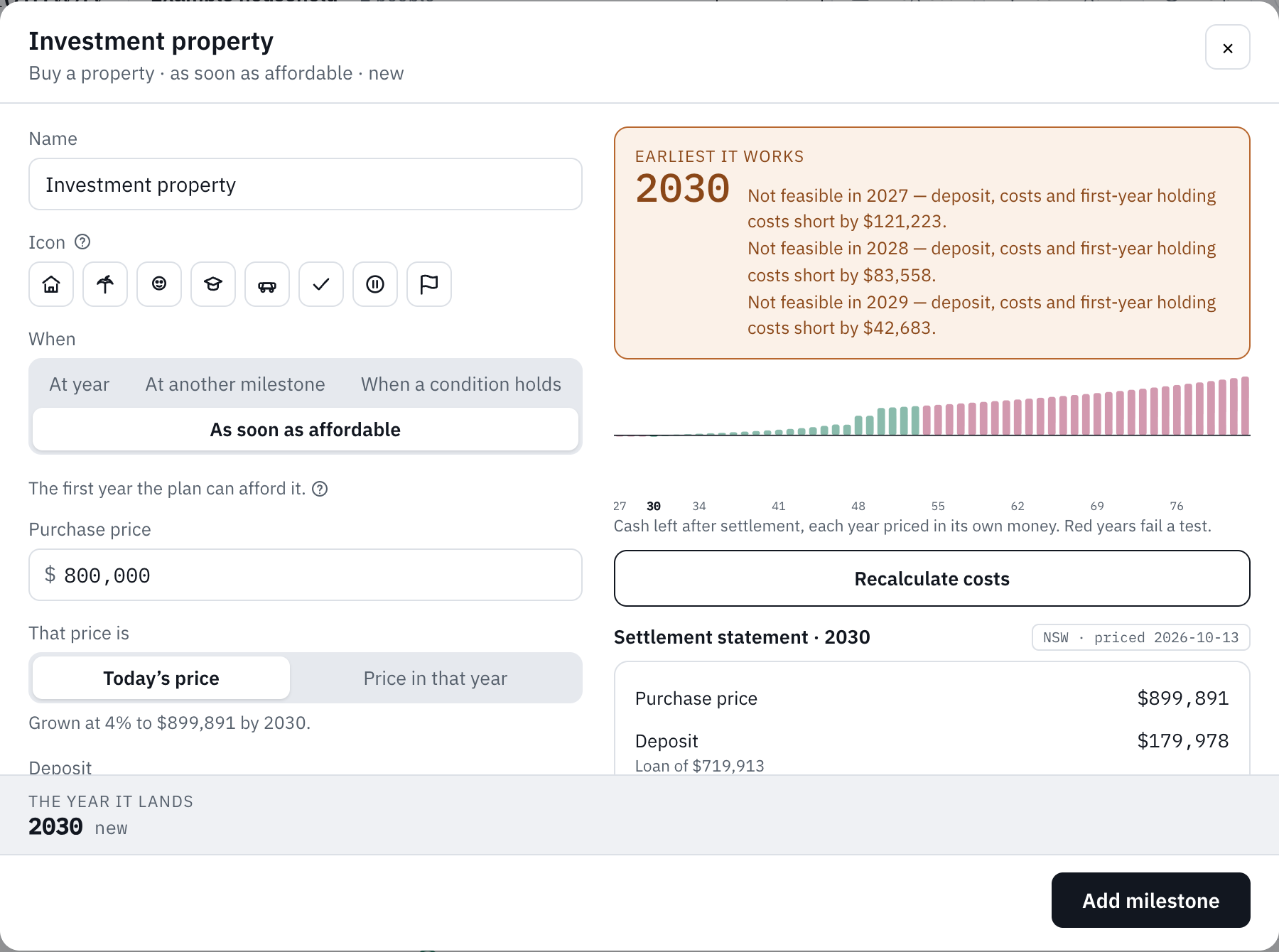
- As soon as affordable: My Runway finds the first year it can happen and the plan still pays its way after. Buying a property and a large purchase start here.
Annual outgoings are your living costs plus the required repayments on your loans, the running costs of a property or car, and land tax; tax and extra repayments aren’t in them. While a mortgage runs it is part of the target, so the target drops once the loan is paid off. The condition can use annual expenses, the living costs alone, instead. Stopping saving starts on a condition too (liquid assets of 12.5 times a year’s outgoings), and paying off a debt on the year it is gone. A Retire milestone also asks Who retires and the Spending in retirement, a year (blank uses your living costs).
When a milestone can’t happen before the plan ends it reads not reached. My Runway never pretends it happens in the last year.
Putting it in the plan
A milestone marks the year; what it stands for isn’t in the figures yet. A property, a child’s costs, a large purchase or a change of career goes in with Add to plan, which lists what it will add first: the property and its loan, say, become ordinary cards dated to that year, and the milestone itself is removed (in what-if mode it is switched off). Retiring, paying off a debt, stopping saving and a named year only mark a year.
On the free plan a property milestone goes in with an estimate of its stamp duty, fees and mortgage insurance; you can change any of them on the property afterwards. On Plus, Calculate costs works them out for the property’s state, as a settlement statement, before it can go in.
A milestone that other things are dated to, anchored to or waiting on can’t be deleted until they’re moved.
On the free plan
Free accounts have four milestones; Plus has as many as you like. Add to plan counts like any other addition: when its cards would take a free plan past 15 assets, debts, incomes and expenses, it shows a padlock.
A free plan holds one asset earning income: a property card or milestone with rent, or an asset with business income, interest or dividends. Once it has one, the rent on another property milestone and the income on another asset show a padlock; the property itself can still be added. A plan that already holds more when Plus ends keeps them all.
Still stuck?
Signed in? Choose Help at the top of the app, pick what it’s about and tell us what happened; it reaches us with the page you were on, and you get a copy. Otherwise write to [email protected]. We reply by email. Please don’t send passwords or account numbers.