Tracking your progress
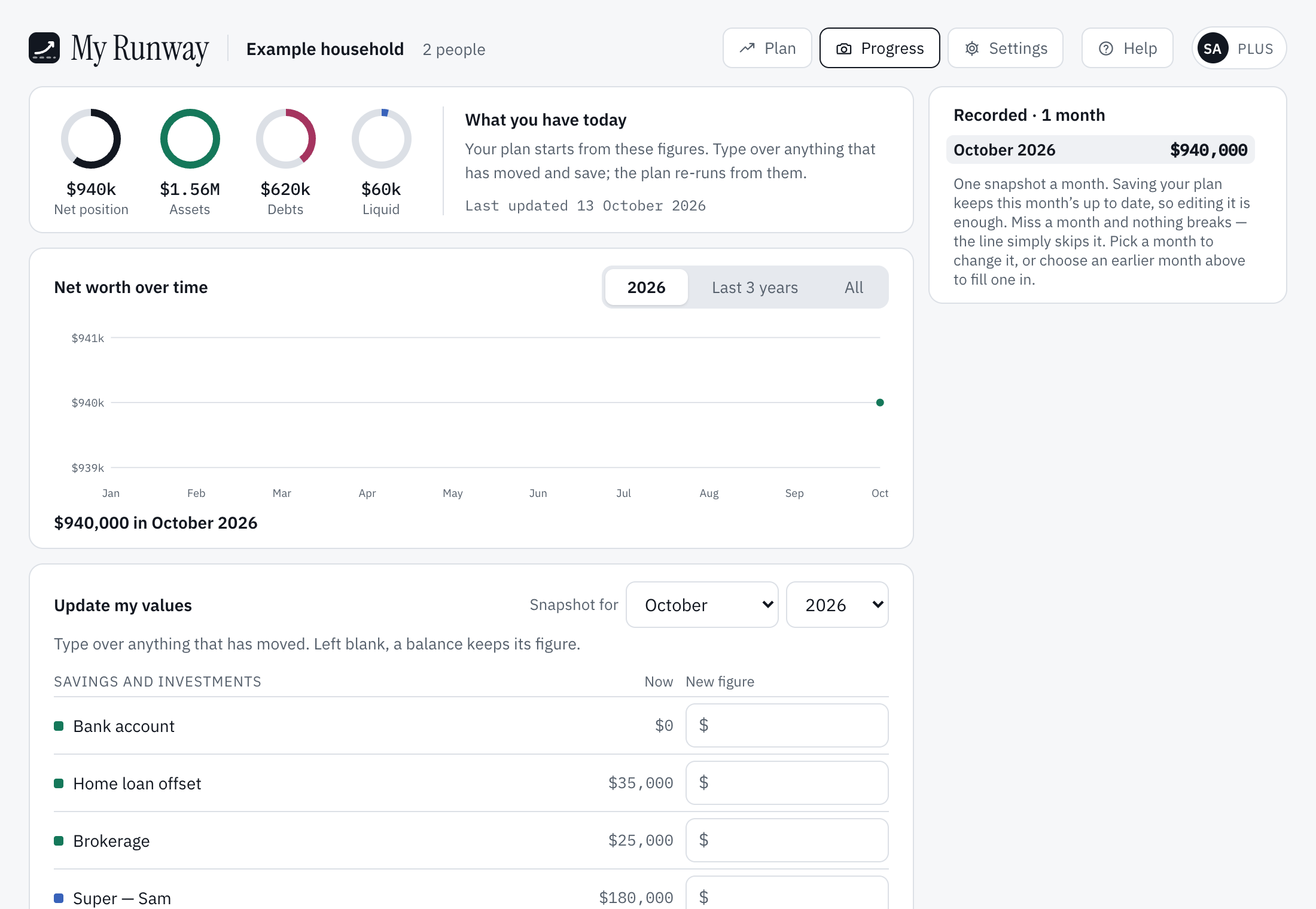
Progress, at the top of the app, holds what you have today: the balances your plan starts from, with when they were last updated. Update my values lists each one beside a box for the new figure. Saving (Save my values, or Save this month on Plus) runs the plan again from them. Rings at the top show your net position, assets, debts and liquid assets.
Net worth over time (Plus)
On Plus, Progress keeps one snapshot a month and draws Net worth over time: the months recorded as dots on a line, so you can see how your net worth has moved. You don’t need to remember it: each time you open or change the plan or your balances, this month’s snapshot is brought up to date by itself. Miss a month and nothing breaks; the line skips it.
This month’s snapshot is always today’s balances. To fill in an earlier month, choose it in Snapshot for, or a month in the recorded list to change it. An earlier month is a record of what you had then: it lists the balances it recorded, under the names they had (one you no longer have says not held today), each with a box to type over and Remove from this month. A month never recorded starts from today’s balances, with the figure last recorded for each. Just the total — I don’t have the detail records the month as one figure. Saving an earlier month leaves today’s balances, the plan and the other months as they are. The chart shows this year, Last 3 years or All.
The months you record are kept with your account, not the plan: starting the plan again keeps them. A balance your plan no longer starts from (switched off, or starting later) is listed under Not in your plan and left out of your net position; taking something out of the plan takes its balance off too.
On the free plan, today’s balances are kept and used just the same; the snapshots and the chart are part of Plus. If Plus ends, the months already recorded are kept and still shown, but no new ones are added and they can’t be changed. In a plan shared with you, you see the owner’s months; only the owner records them.
Still stuck?
Signed in? Choose Help at the top of the app, pick what it’s about and tell us what happened; it reaches us with the page you were on, and you get a copy. Otherwise write to [email protected]. We reply by email. Please don’t send passwords or account numbers.