Your first plan
A new account opens on quick setup, which asks How do you want to start?
- Walk me through it: five short steps, one topic each, below.
- Get in quick: four questions on one page (what you want to know, your age, what you earn, and roughly what you have saved and owe). Beside them, What we filled in for you lists every other figure with why it was chosen and a Change.
- Look at an example: Jess, or Sam and Alex, to look around first. Quick setup asks nothing of you there.
Walking through has Back and Next, and the steps other than the second and Where spare money goes have Skip, use an estimate.
- What do you want to know? When you can buy your next property, afford to retire, stop saving or pay off the mortgage. Pick any; each becomes a milestone. Without retiring ticked there is no Retire milestone, and the salary stops at the retirement age.
- You and your work: just you, or you and a partner, each with a name if you like, an age, a salary before tax (a year, a fortnight or a month), and a super balance, and your state. The retirement age starts at 67; change it on the chart afterwards. Once there is an age and a salary, the super balance fills in with an estimate; type your fund’s balance over it to use yours. Salary sacrifice and a second income are added afterwards, on the salary’s card. This step can’t be skipped.
- What you own and owe: your home (own it, rent or live with family), an offset account against the mortgage, the bank account, shares, an investment property, and debts: a car loan, a credit card and other debts. A mortgage’s rate and term start at a typical 6.1% and 27 years left. HELP is added afterwards, as its own card.
- Spending and what’s coming up: living costs a year, a fortnight or a month, housing aside, worked out from your after-tax income until you change it; and, under Milestones, what is coming up (children, a car, a renovation or big purchase, the next property, a career change), each with a year and an amount. Paying off the mortgage needs the mortgage in step 3.
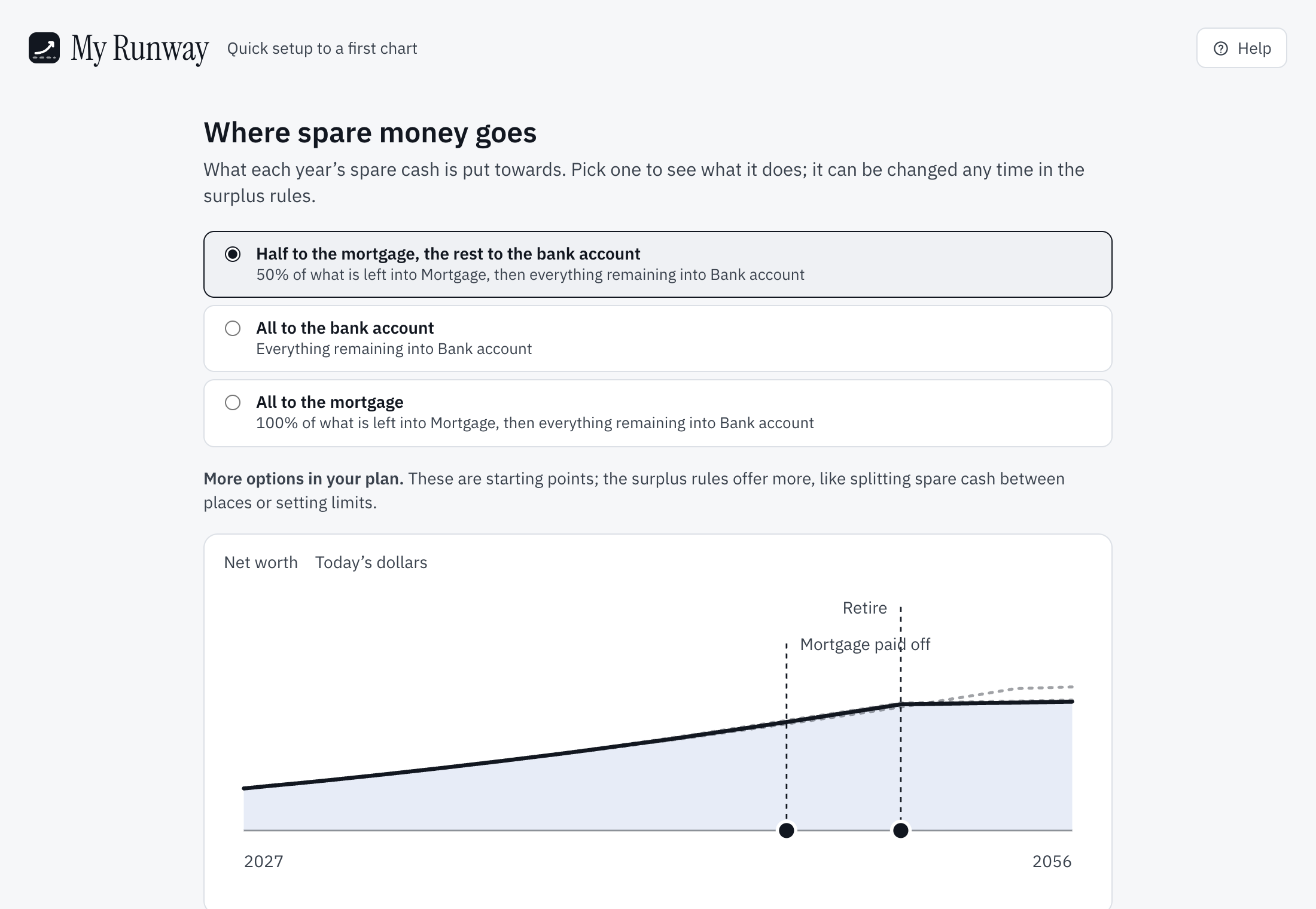
- Where spare money goes, asked only when there is more than one place for it (a mortgage, or shares): the bank account, the mortgage or half to each, or shares. A small chart shows net worth over the next 30 years with a line for each choice. The one picked is drawn solid, with its milestones, and the others sit behind it as dotted lines, so you can see what each one does. The rates start at the plan’s defaults and sit in the strip above the chart once it is up.
The last step has Show me my runway in place of Next: it makes the plan and opens its chart. Everything can be changed on its card afterwards.
A figure My Runway filled in carries an estimate chip. Your answers are kept in this browser as you go, so leaving and coming back picks up at the same step. They are cleared when the plan is made, when you sign out, and after 30 days.
On the free plan, a choice that would take the plan past what a free plan holds (four milestones, fifteen assets, debts, incomes and expenses, one asset earning income) shows a padlock. To stay within fifteen, a car loan, a credit card and other debts can go on one Other debts card.
After setup
A short tour lights up the plan screen a part at a time: your answers, the chart, the cards, the surplus and its rules, smart plans and what-if mode. Skip tour ends it. Then Getting started lists what to look over first, with what setup covered already ticked. The account page’s Take the tour shows the tour again.
Changing it later
Everything setup filled in is on the plan screen, in the cards under the chart; open a card to change it (see Changing your plan).
Starting again
Settings at the top has Start again with quick setup…, for the plan’s owner. Tick I understand this plan will be replaced and choose Replace my plan; setup starts blank, as it does for a new account. Nothing is replaced until you finish setup, and choosing Plan at the top leaves the plan as it is. When you finish, the old plan, its what-if and its balances on Progress are deleted; the months you have recorded on Progress stay.
A plan is one or two people. Children and other dependants are expenses, not people in the plan.
Still stuck?
Signed in? Choose Help at the top of the app, pick what it’s about and tell us what happened; it reaches us with the page you were on, and you get a copy. Otherwise write to [email protected]. We reply by email. Please don’t send passwords or account numbers.