Sharing a plan
In Settings, Sharing takes someone’s email and whether They can Edit the plan or Only view it, then Share the plan. We don’t email them: copy the message it gives you, send it from your own email, or share it. When they sign in with that address (a new free account if they have none), the plan is in the list under its name at the top, beside their own. A plan can be shared with up to ten people.
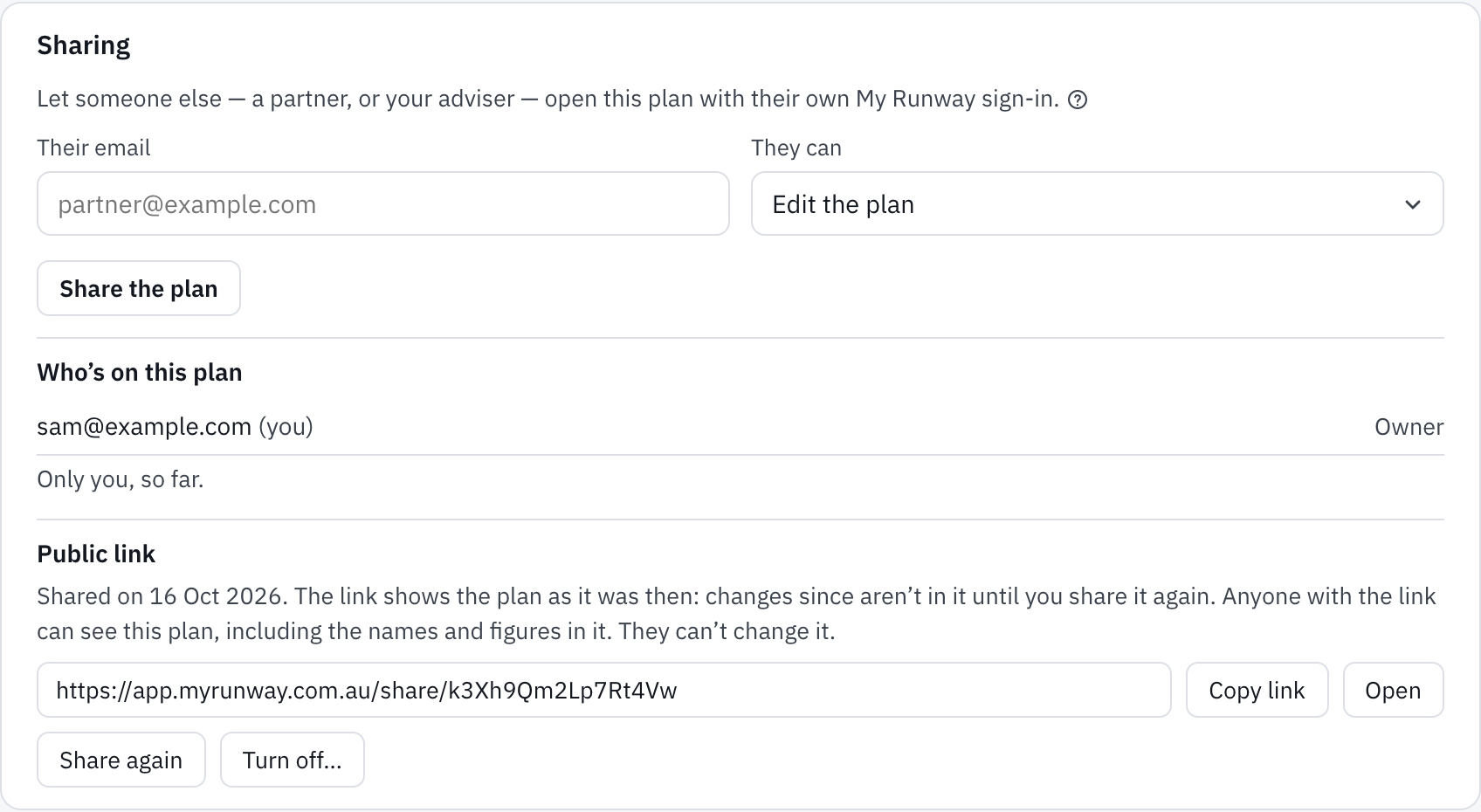
Someone who can only view it opens the cards, milestones and rules to read, without saving, Ask Runway or smart plans. Someone who can edit changes it as the owner would, today’s balances included.
In a shared plan, everyone gets what both their own account and the owner’s include: Plus features need Plus on both, so a Plus member in a free owner’s plan finds them locked too, and each limit is the lower of the two. Ask Runway questions and colour themes stay your own.
The owner sees everyone under Who’s on this plan, changes what each can do, takes anyone off or withdraws an invitation. Anyone else sees only the owner and themselves there, and can leave with Leave this plan…. Deleting the owner’s account deletes the plan for everyone. An account still owns one plan of its own; someone with only shared plans can start theirs from the list.
To show the plan to someone without an account, see A public link to your plan.
Still stuck?
Signed in? Choose Help at the top of the app, pick what it’s about and tell us what happened; it reaches us with the page you were on, and you get a copy. Otherwise write to [email protected]. We reply by email. Please don’t send passwords or account numbers.