Ask Runway
Ask Runway takes a question or a change in plain words and works out what it means for your plan. It can:
- add accounts, property, loans, income or expenses, up to ten at once;
- add a milestone, such as “when can we buy in Brisbane for $900k?”;
- add a rule for spare cash, or change one you have;
- sell a property at a time you describe, such as “once the home loan is gone”, shown in what-if mode (Plus) or added to the plan;
- open a year you ask about;
- make a what-if to compare with your plan (Plus).
Choose Show me what it will do. Before anything changes it tells you, in plain words, what it will add or change, with anything it filled in itself marked assumed. Nothing happens until you say yes; a milestone can be opened in its editor first. What is already in your plan is left as it is. Several items go in together or not at all, and on the free plan they count towards its limits.
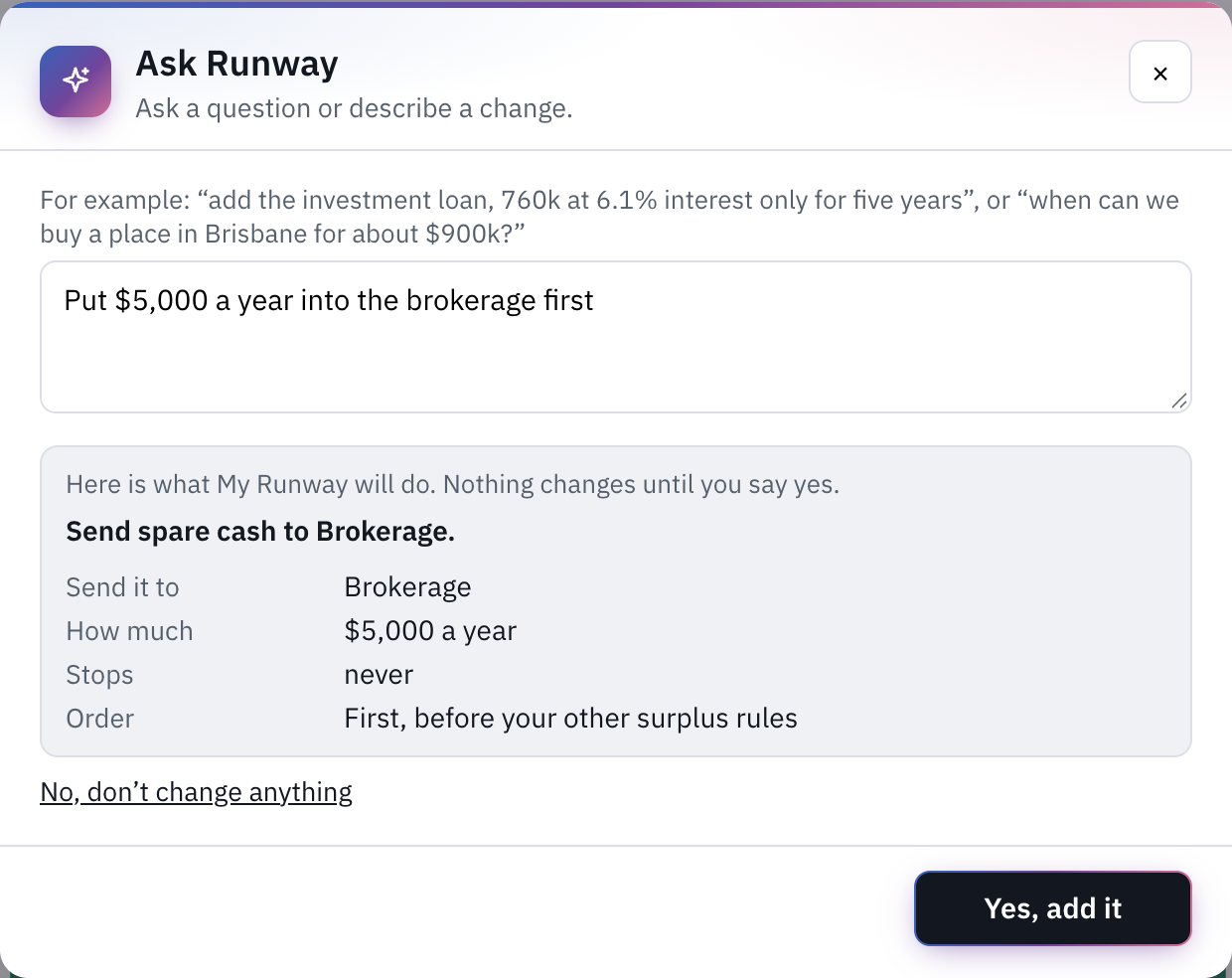
The AI only reads what you typed. Every sum (tax, duty, interest, the year something is affordable) is worked out by My Runway’s own calculations, never by the AI, and it gives no advice: asked what to do, it says so.
It is not a chat. Each request is read on its own, with nothing of what you asked before, so if it misreads you, change the wording and ask again.
How many
What you type is sent to our AI provider to be read, so leave out names, addresses and account numbers; a request can be up to 4,000 characters. A free account can ask three questions a month, and Ask Runway shows how many are left; after that it asks you to upgrade, and your free questions come back on the 1st. Plus has a fair-use allowance each day and each month, and says when only a few are left. If you reach it, Ask Runway is available again the next day, or next month for the monthly allowance. Questions in a plan shared with you count against your own account; there is no Ask Runway on a plan you can only view.
If it says it is unavailable right now, the problem is ours; try again later. Either way, you can make any change by hand. Ask Runway relies on AI providers, so we can’t promise it will always be available, or always be offered (see the terms).
Still stuck?
Signed in? Choose Help at the top of the app, pick what it’s about and tell us what happened; it reaches us with the page you were on, and you get a copy. Otherwise write to [email protected]. We reply by email. Please don’t send passwords or account numbers.