Household and settings
Household
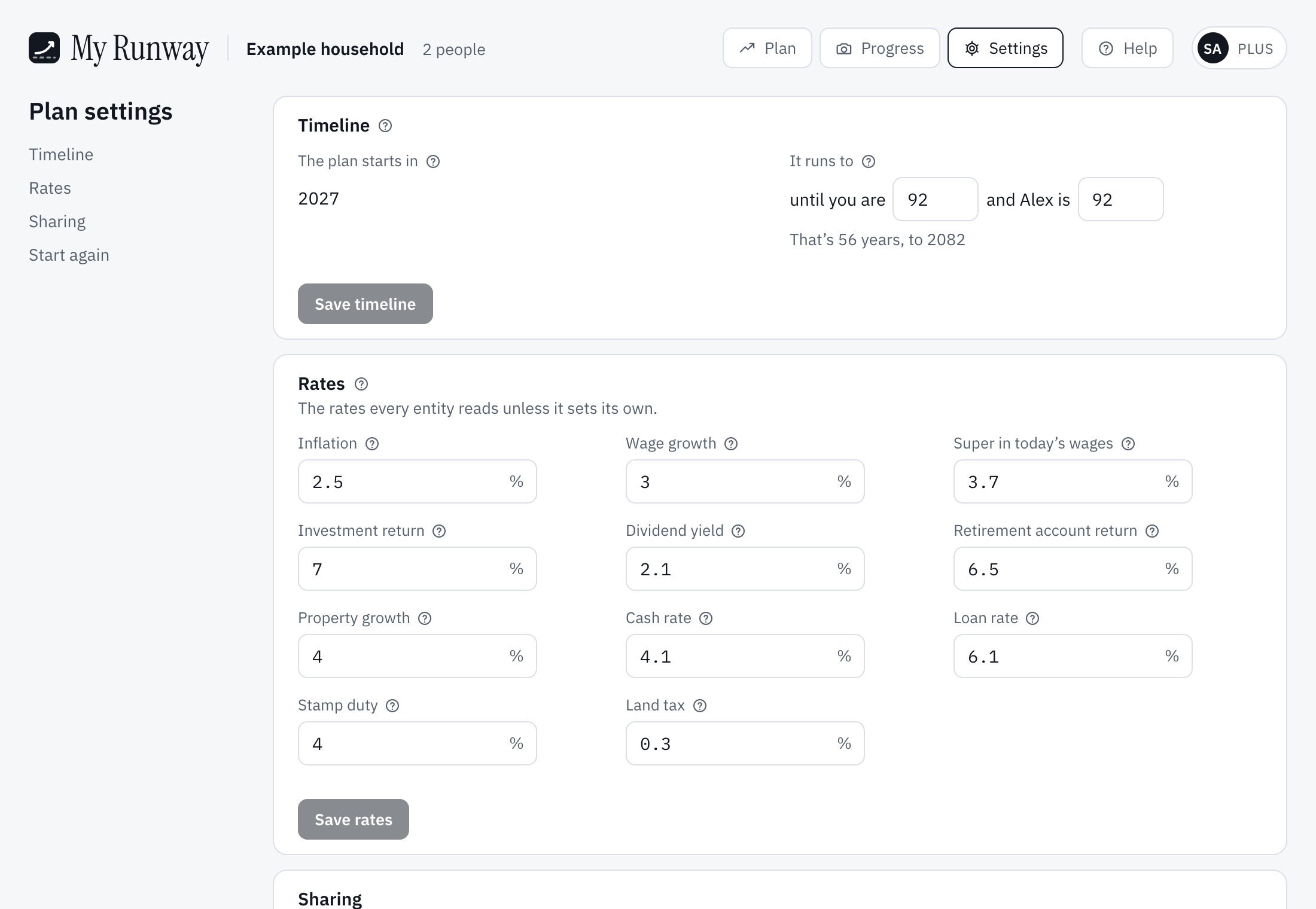
In Plan settings, Household and timeline holds Just me or A couple, each person’s name, the year they were born and Plan to age (life expectancy, 92 unless you set it). When they retire is the Retire milestone, not a setting here. State sets stamp duty, land tax and first home buyer rules. The plan starts this financial year and moves on by itself; it runs to the last person’s Plan to age.
Private hospital cover, beside each person, starts on for a new plan; turn it off if you aren’t covered. Without it, income above the threshold pays the Medicare levy surcharge of 1–1.5%; a couple is clear of it only when both are covered. The premium isn’t added for you: put it in as a living cost.
Settings
Settings at the top opens Plan settings, the plan’s own page:
- Household and timeline: the household above, and when the plan starts and ends.
- Rates: inflation, wage growth, investment return, dividend yield, the retirement account (super) return, property growth, cash and loan rates, the estimates used for stamp duty and land tax, and Super in today’s wages, the wage rate behind super’s second figure. A card can set its own rate.
- Sharing, with the public link, and, for the owner, Start again.
The account page
Your initials, top right, open the account page. It holds:
- Subscription: Free or Plus, and on Free how much of each limit the plan uses.
- Preferences: your time zone, and the Colour theme. Clear and Dusk are everyone’s; Mist, Sage, Ink and Night are part of Plus. Printing is always Clear.
- Emails: account and billing emails always come; Tips and news about My Runway and the new-year reminder about your balances can be turned off.
- Refer My Runway, get $10, Export your plan (Plus), Take the tour and Open Getting started, and Sign-in.
Still stuck?
Signed in? Choose Help at the top of the app, pick what it’s about and tell us what happened; it reaches us with the page you were on, and you get a copy. Otherwise write to [email protected]. We reply by email. Please don’t send passwords or account numbers.