Smart plans and insights
The row under the rates holds four smart plans, each a few steps that end in an answer worked out year by year from your plan:
- Plan my retirement: who stops work and when, as early as the money allows or at an age, and the spending a year then. It answers with the year, how long the money lasts, the Age Pension it brings, the most you could spend, and how much more you could spend until you stop work and still retire then. The spending is also shown in today’s wages.
- Plan my property purchases: the passive income you want, the property bought each time, and how it is paid for. It answers with each purchase in the first year the money is there.
- Pay off the mortgage or invest: a lump sum from savings, an amount a year, or both, and where it would be invested, set side by side with your plan as it is: paying the loan down, into the offset, investing instead and debt recycling. Click a column to see it.
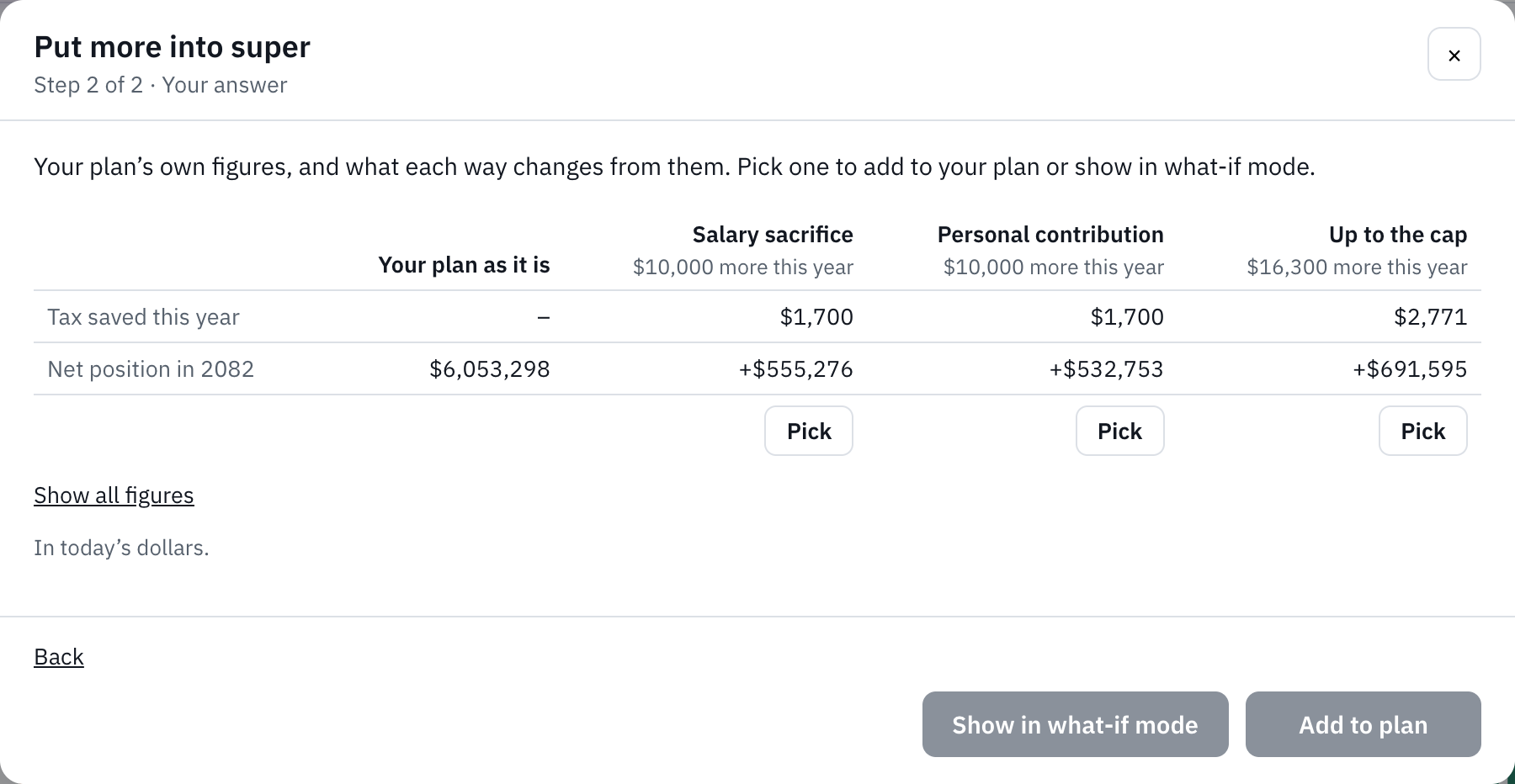
- Put more into super: an amount a year, set side by side as salary sacrifice (for someone with a salary), a personal contribution and up to the concessional cap. Their super when they could first reach it is shown in today’s dollars and in today’s wages.
Every answer ends with Add to plan and Show in what-if mode. Adding lists what goes in, and anything it replaces, before it does; what goes in is ordinary cards and milestones you can change. A home loan or super account you type into a smart plan goes into the plan first. The answers set out the figures for each way and never pick one.
Smart plans are part of Plus. Insights are free: after quick setup, a smart plan or Ask Runway, a few sentences say what was just asked, with the year, and follow the plan as you edit it. Dismiss puts them away, and Undo takes back what was just added, while it is still your last change. The row is hidden on a plan you can only view.
Still stuck?
Signed in? Choose Help at the top of the app, pick what it’s about and tell us what happened; it reaches us with the page you were on, and you get a copy. Otherwise write to [email protected]. We reply by email. Please don’t send passwords or account numbers.